
Remote Connect with NoMachine
NoMachine provides remote desktop access to your Mac Mini, allowing you to control it from anywhere with a full desktop experience.
Step 1: Download NoMachine
Section titled “Step 1: Download NoMachine”Download and install NoMachine on your computer:
Once installed, open the NoMachine application.
Step 2: Create a New Connection
Section titled “Step 2: Create a New Connection”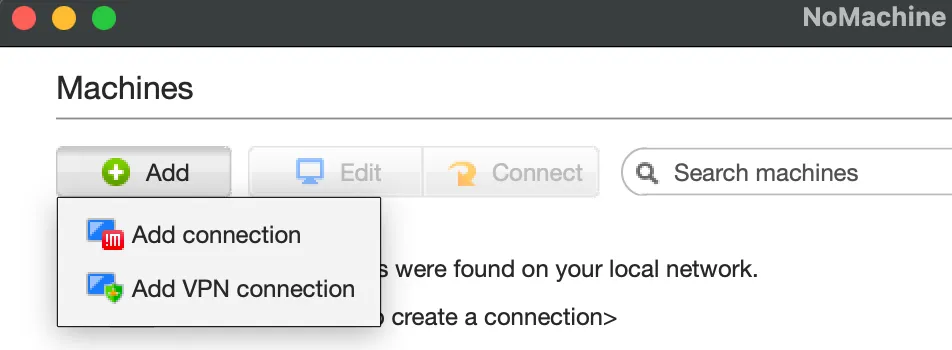
- Click + Add.
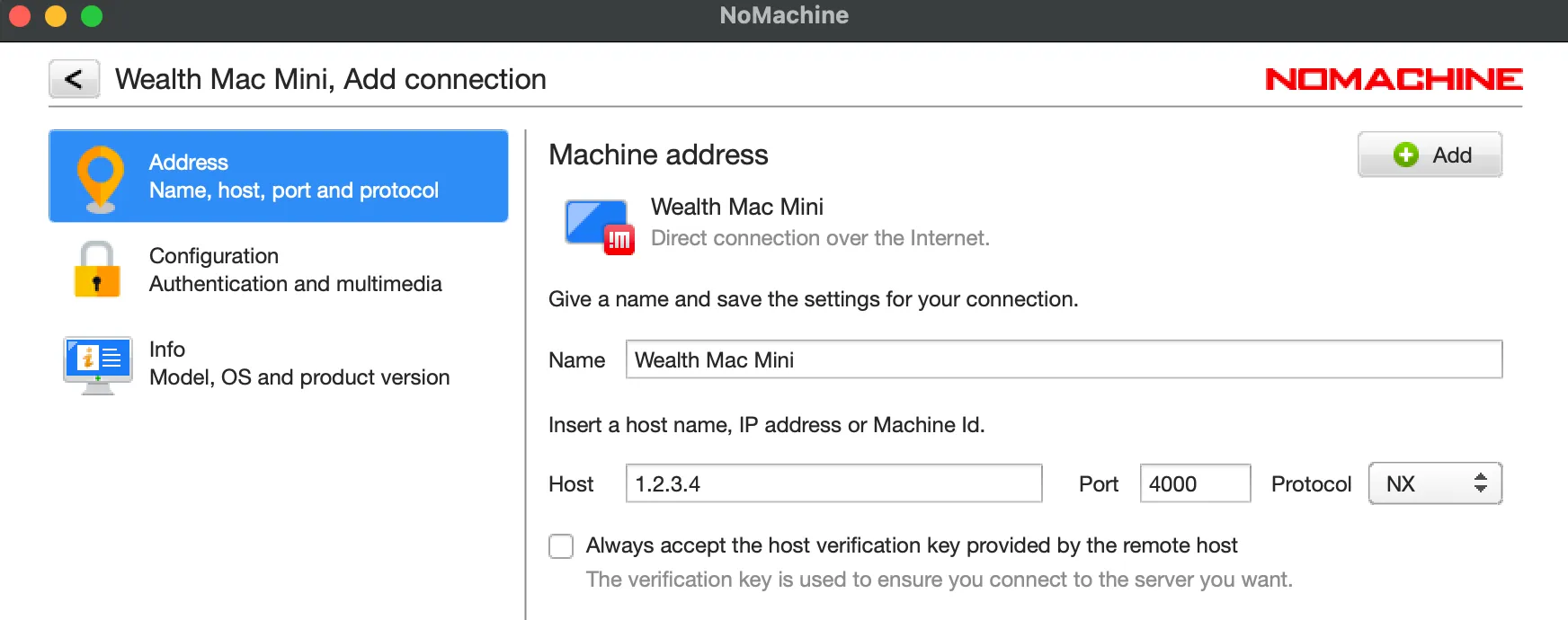
- Select the default connection settings.
- Enter your Host/IP Address from your Mac Mini credentials.
- Click Add to save the connection.
Step 3: Connect to Your Mac Mini
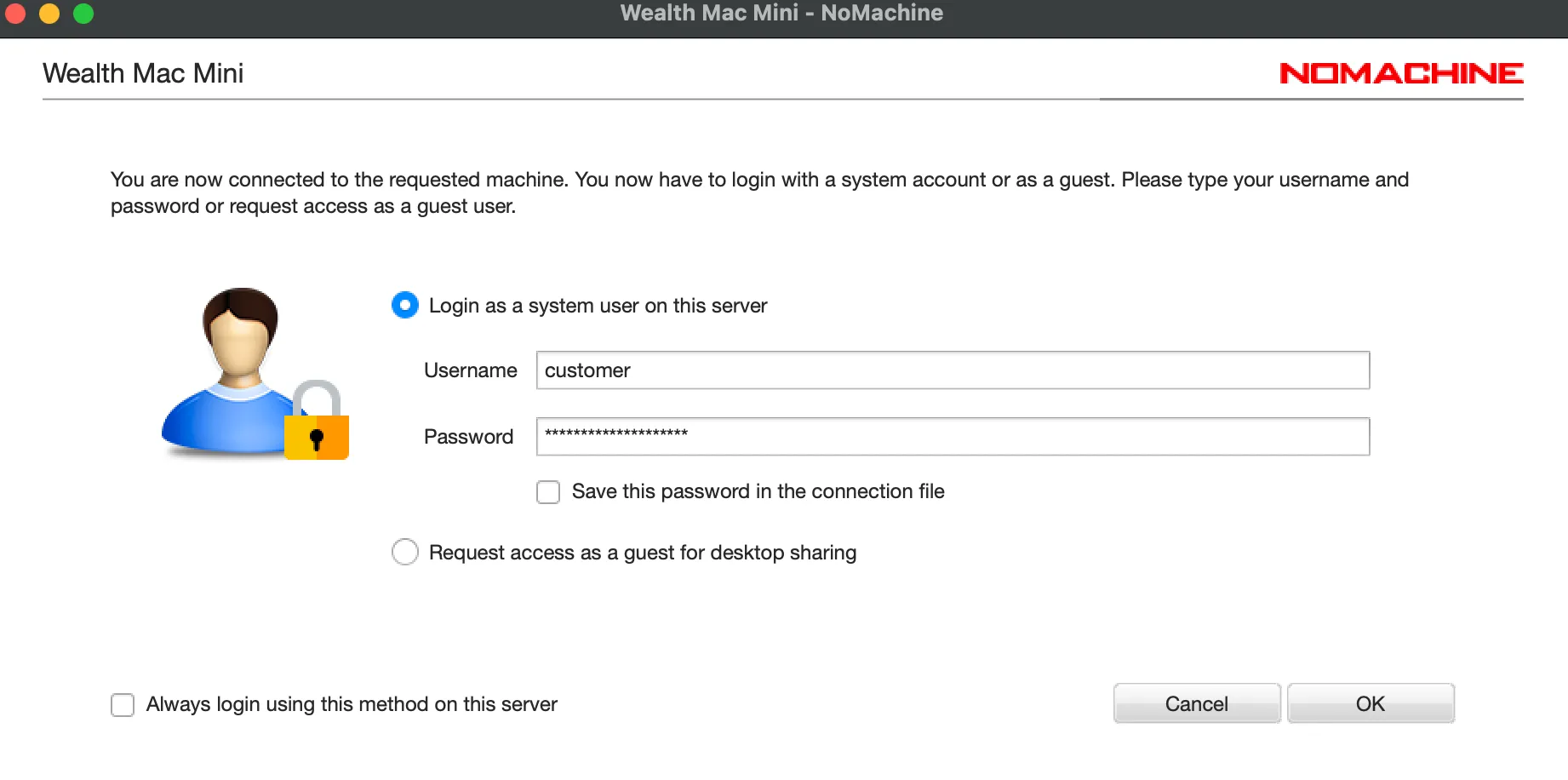
Section titled “Step 3: Connect to Your Mac Mini”- Double-click the connection you just created.
- When prompted, enter your Mac Mini:
- Username
- Password
- Click OK to connect.
Step 4: Complete Login
Section titled “Step 4: Complete Login”After connecting, you may be prompted by macOS to enter the password again. If this occurs, simply enter the same password provided in your Mac Mini credentials.
You should now have full remote access to your Mac Mini desktop.
Troubleshooting
Section titled “Troubleshooting”Unable to Connect
Section titled “Unable to Connect”- Verify you entered the correct Host/IP Address.
- Confirm your Username and Password are correct.
Authentication Failed
Section titled “Authentication Failed”- Double-check that there are no extra spaces when copying credentials.
- Try manually typing the password instead of pasting it.
If you continue experiencing issues, please contact support through Discord or create a support ticket.