
Residential Proxy Generation
There are two different methods of generating Wealth residential proxy lists:
- Within our website in the Residential section
- Within our discord in the corresponding residential proxy channel.
For US regions, you can generate proxy lists within either the website or discord. For other non-US regions, you must generate proxy lists within our website dashboard.
Proxy Generation via Website
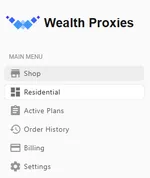
Section titled “Proxy Generation via Website”- Start by navigating to the Residential section within your dashboard
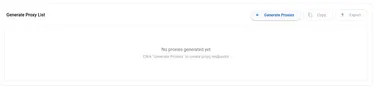
- Select the Generate Proxies button on the bottom right corner.
- Choose configuration!
- Select quantity (between 1 - 50000)
- Select country (and state selection if applicable)
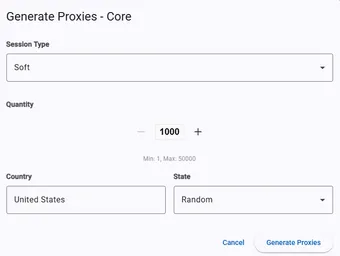
- Press Generate Proxies!
Proxy Generation via Discord
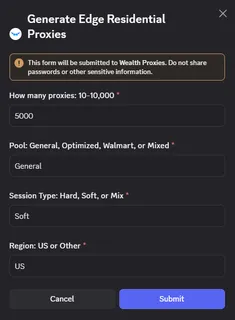
Section titled “Proxy Generation via Discord”- Start by navigating to the corresponding Residential Proxy channel within our discord
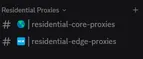
- Click Generate Proxies button

- Choose your configuration!
- How many proxies: Specify number between 10 - 10,000 (comma is optional)
- Pool: Type your preferred pool
- Select US for United States regions. Other non-US regions must generate proxy lists on website dashboard.
Additional Proxy Generation Information
Section titled “Additional Proxy Generation Information”You may generate as many proxy lists as you want! Generating new residential proxy lists does NOT void your previous proxy lists. Previously generated proxy lists will continue to work as long as you have data remaining in your plan, and your credentials are correct.