
Mandatory Server Upkeep
This page only applies to Windows servers running an evaluation version of Windows Server which includes most virtual & bare metal servers.
Do I need to Rearm My Server?
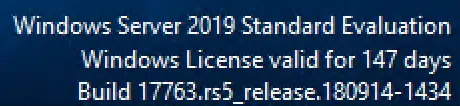
Section titled “Do I need to Rearm My Server?”If you see a message in the bottom-right corner of your desktop similar to:
Windows Server 2019 Datacenter Evaluation
Windows License Valid for X Days
then your server must be rearmed every 180 days. Follow the instructions below. If you do not see this message, no action is required.
How to Rearm Your Server
Section titled “How to Rearm Your Server”We recommend rearming your server before the remaining days reach 0.
-
Open the Command Prompt as Administrator
Section titled “Open the Command Prompt as Administrator”
-
Run the following command:
Section titled “Run the following command:”slmgr -rearm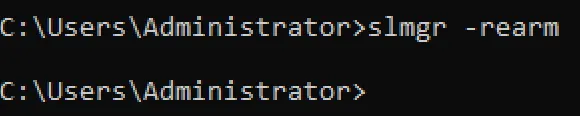
-
Press Enter and wait for the confirmation message.
Section titled “Press Enter and wait for the confirmation message.”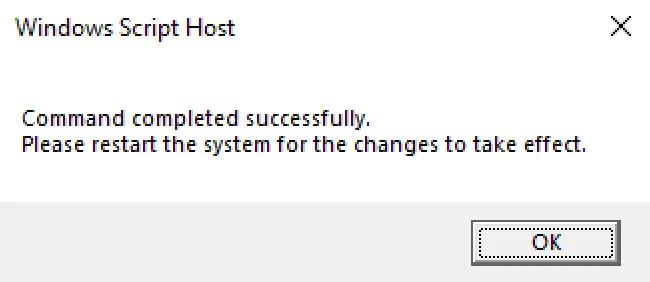
-
Restart your server to complete the rearm process.
Section titled “Restart your server to complete the rearm process.”Your Windows evaluation period will be reset for another 180 days.
What Happens If I Don’t Rearm?
If the Windows evaluation license expires:
- Windows may begin shutting down automatically.
- You lose access to your server
- A support ticket will be required for our team to manually restore access and perform the rearm process which will take time.
Virtual Servers Only
This does not apply to Bare Metal Servers
If server is not re-armed before windows license expires, it will shut down and you will need to open a support ticket so our team can manually reboot it and re-arm it for you.